- Understanding Node.js: Core Concepts | Udemy
- Udemy - Understanding Node.js Core Concepts part1_哔哩哔哩_bilibili
后续课程: Node JS Advanced Training: Learn with Tests, Projects & Exercises | Udemy
Chapter 1 Introduction
安装 & 环境设置
Nodejs under the hood
- 理解机器码、汇编、高级编程语言(静态编译/字节码+虚拟机/解释执行+动态类型
- gpt 问答帮助理解:ChatGPT - Assembly language定义
- js:js 源码 —解释器(v8)⇒ 字节码 (Bytecode) —JIT 编译 + 解释执行-⇒ 机器码(动态生成)⇒ CPU 执行
- node / electron 应用:v8 + js 源码 (含运行时)
- V8 负责:源码解析(AST);字节码生成;JIT 编译;执行优化。编译和执行在运行时同时进行。
- JIT:运行时把经常执行的代码片段动态编译成本地机器码,然后直接执行这些本地代码,以换取更高性能。
- 区分前端工程中的“编译” — 通常指运行前的构建阶段的静态转换,例如 ts 编译 - tsc,语法转换 - Babel,bundle(合并、压缩代码) - Webpack/ esbuild/ rollup,预处理/模版编译 — vue/react JSX compiler,minify、tree-shake
- java :Java 源码 (.java) ---编译器 (javac)—⇒ Java 字节码 (.class)(虚拟机器码) —JVM(解释执行 + JIT 编译)-⇒ 机器码。因此java 应用分发的是字节码(.class 文件),依赖外部 jvm运行
- JVM 读取这些字节码,有时 解释执行(逐条翻译)有时用 JIT(Just-In-Time)编译器 把热点代码动态编译成本地机器码执行。
- c++ :源码 ---编译器 (gcc, clang) ⇒ 汇编 (Assembly) — 汇编器⇒机器码 (Binary) ⇒ CPU 直接执行。 C++应用最终分发的是机器码
- v8, c++ library
- libuv, c library
- server-side technology 特点:need to talk to different processes on computer(e.g. database), need to deal with files, scaling, dealing with network requests --- libuv
- Asynchronous
Chapter 2 EventEmitter
- EventEmitter (通过 require(‘events’) 引入) — js library of node
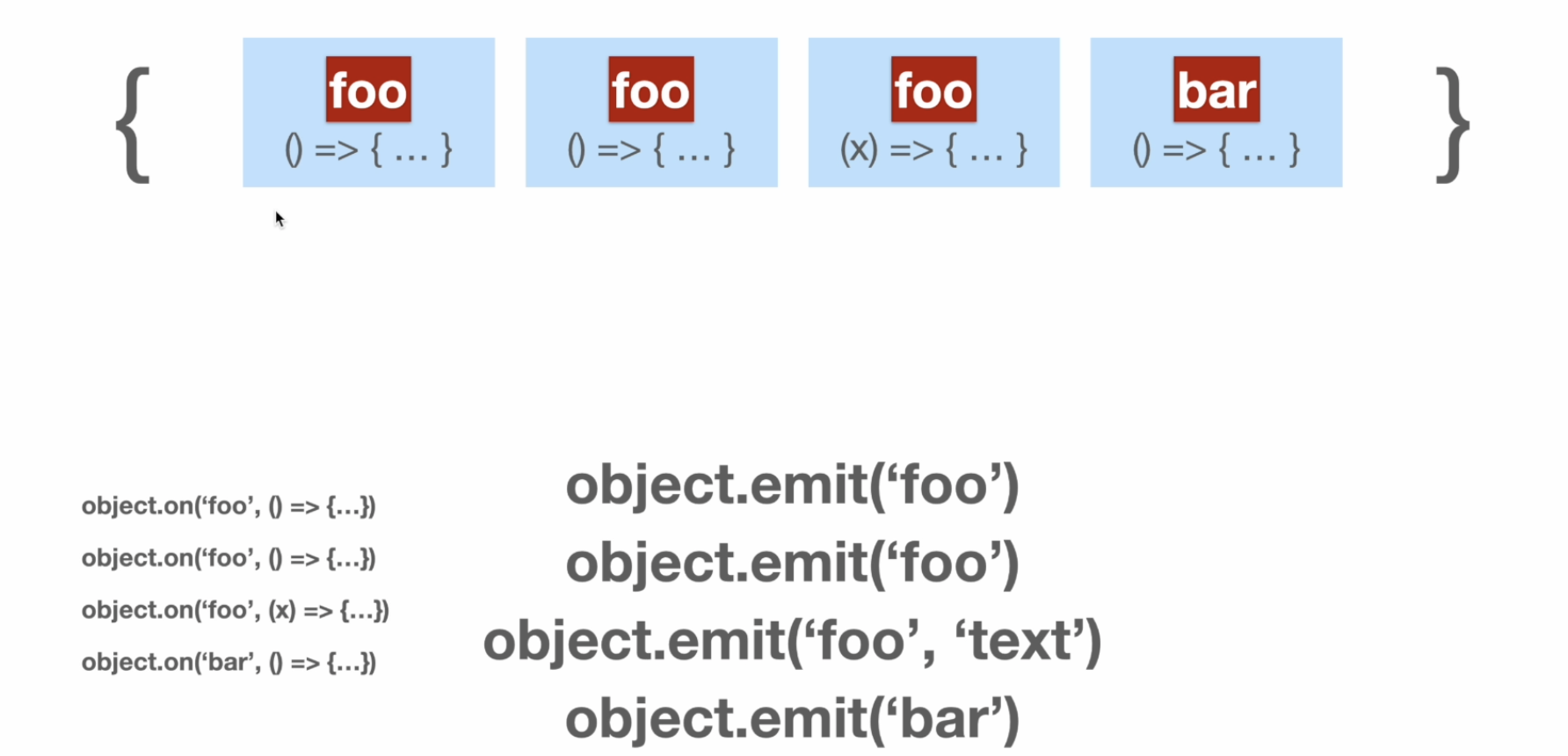
- Events | Node.js v25.0.0 Documentation
- source code: node/lib/events.js at v25.0.0 · nodejs/node · GitHub
Chapter 3 Buffer
- binary numbers (base 2 numbers)
- hexadecimal numbers (base 16 numbers)
- 和 binary numbers 方便互相转换
- any four bits you pick, there i s exactly one hexadecimal character that you can use instead of 4 bits (each hexadecimal character is exactly four bits)
- 用 0x 前缀表示
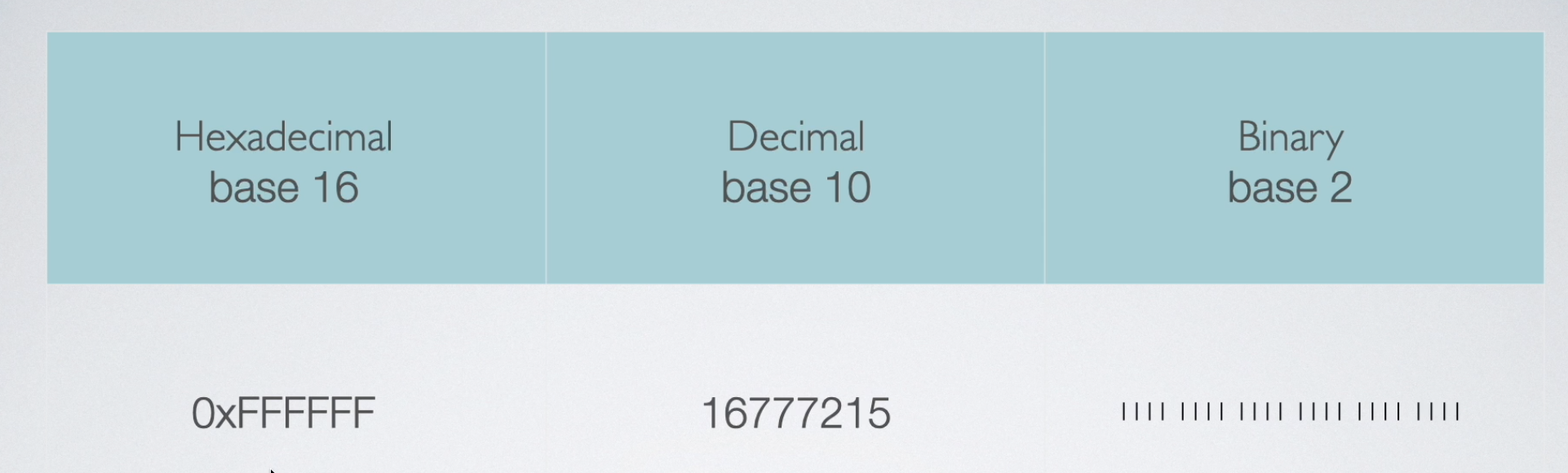
- character set/encodings
- Character Sets:letters and symbols(characters) that a writing system uses, and a representation of assigning different numbers to those character
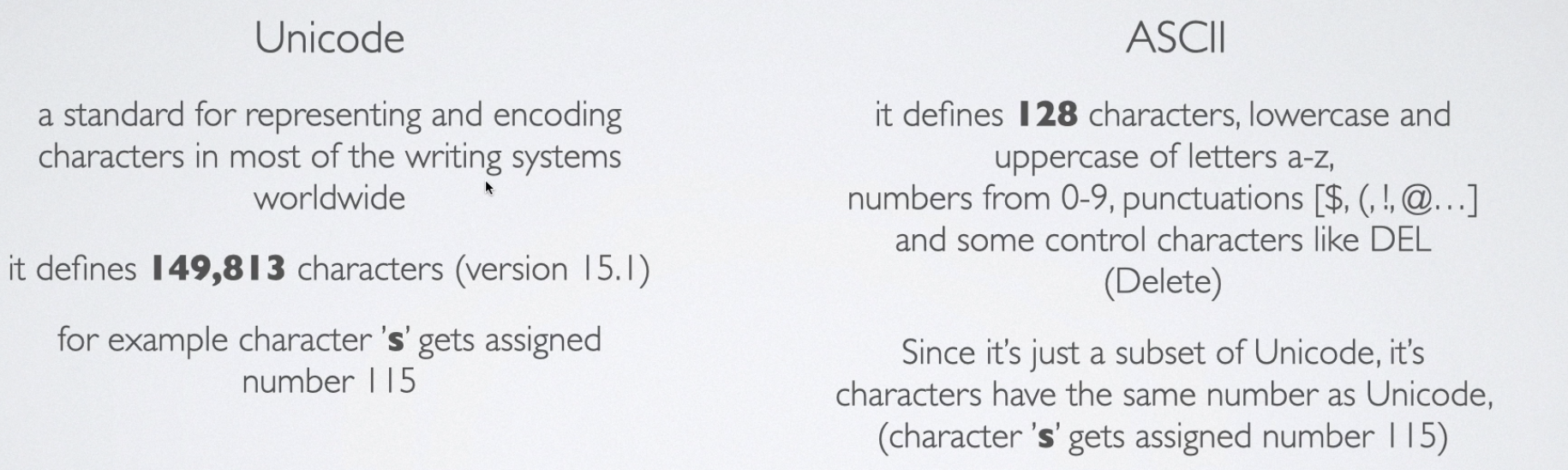
- 每个 Ascii 只需要 8bits 存储
- Ascii 是 Unicode 的一个子集
- encoders & decoders
- encoder:something meaningful ⇒ bits (zeros and ones)
- character encoding: A system of assigning a sequence of bytes (just some zeros and ones) to a character. The most common one is utf-8, defined by the Unicode Standard, therefore its characters have the same numbers as the Unicode.
- utf-8 tries to save each value using eight bit sequences and Ascii characters are all stored using only eight bits
- we always have to specify the encoding system
- Buffer
- Buffers 是一种数据结构,使用上有些类似数组。它的大小一旦被指定就固定了,不可变 As soon as you create that buffer, you’re occupying that much size from your memory.
- The
Bufferclass is a subclass of Javascript’sUnit8Array - in NodeJS each element of buffers holds exactly eight bits (1 byte).
- 在 buffer 中,可以对二进制数据进行操作
- efficient
- Buffer.alloc 会默认填充0
- Buffer.allocUnsafe
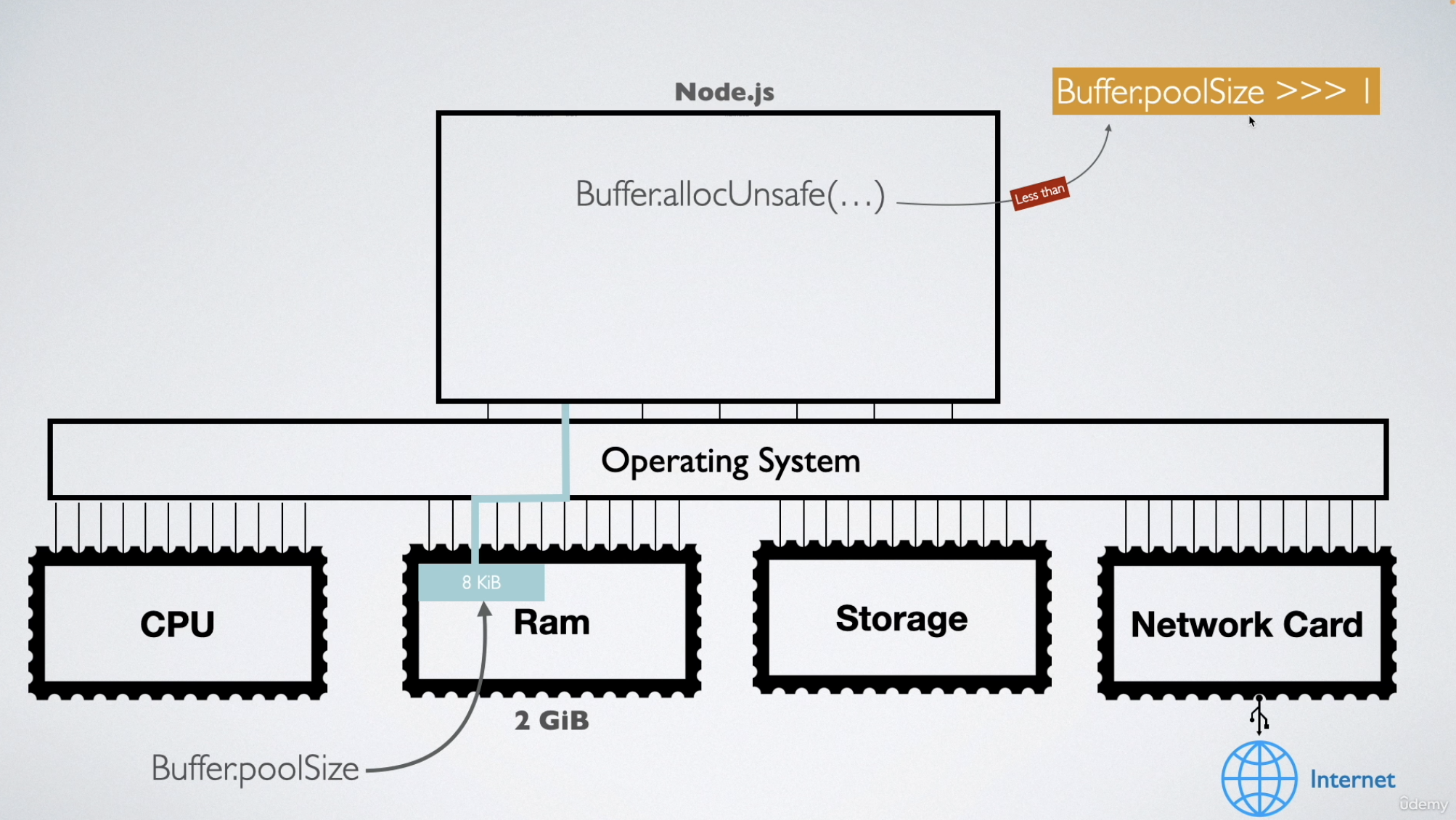
- 在 Node.js 内部(C++ 层),为了避免频繁向操作系统申请小块内存,它会一次性预分配一大块内存区域(默认 8KB),称为 slab 或 buffer pool。
- 使用
Buffer.allocUnsafe()分配新的Buffer实例时,小于Buffer.poolSize >>> 1(使用默认 poolSize 时为 4KiB)的分配将从单个预分配的Buffer中切出。这允许应用避免创建许多单独分配的Buffer实例的垃圾收集开销。这种方法无需跟踪和清理尽可能多的单个ArrayBuffer对象,从而提高了性能和内存使用率。 - Buffer.allocUnsafeSlow 不是使用 buffer pool 中的内存
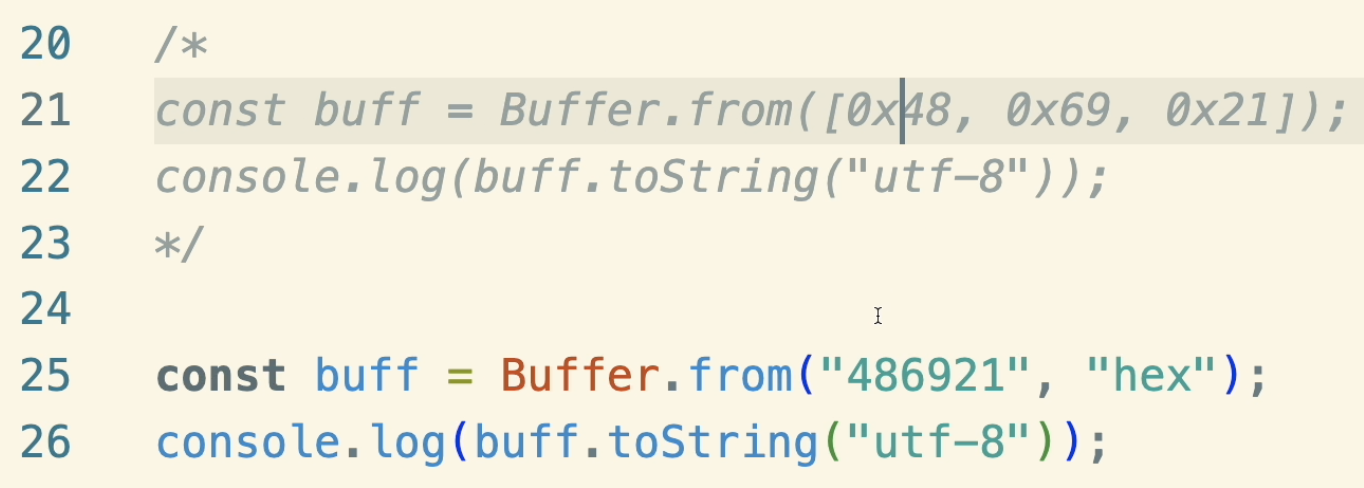
- Buffer.from、Buffer.concat (背后用的是 Buffer.allocUnsafe,但是会立刻填充值)
Chapter 4 File System
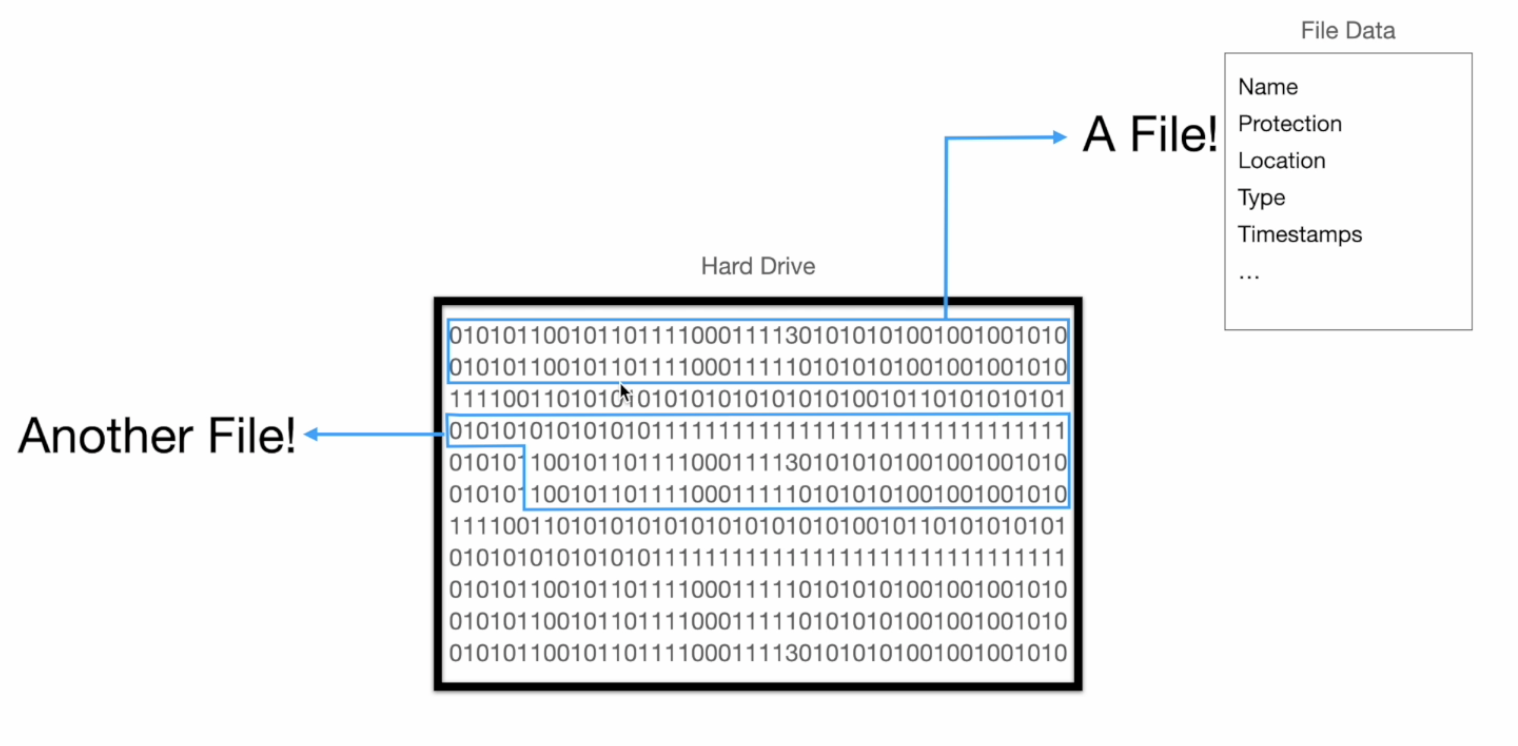
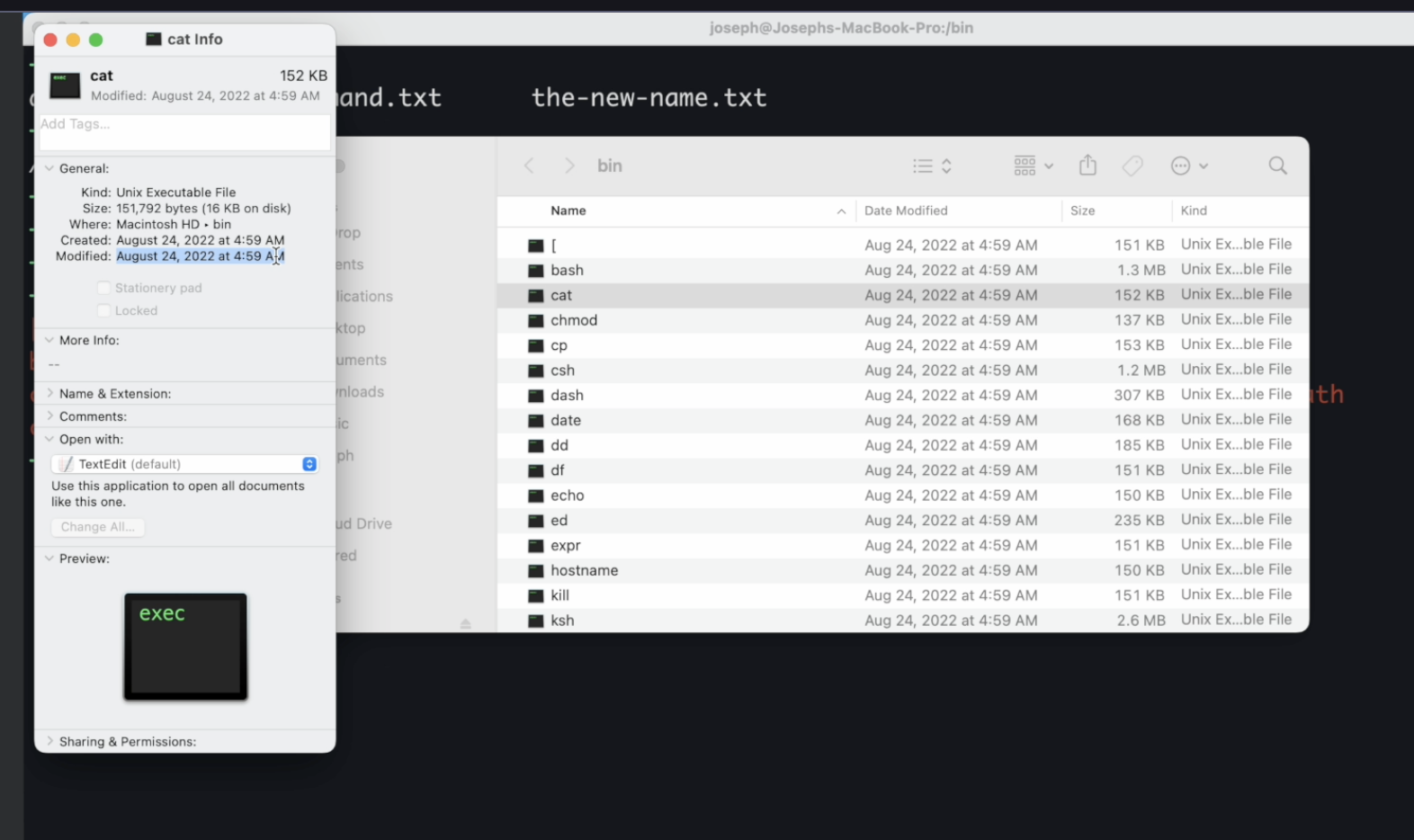
- everything you have on your computer is just a file, and actually your operating system itself could only execute the executable files.
- How Node.js deals with files
- Nodejs 通过 system calls(talking to the operating system) 来和 hard drive 交互
- NodeJS using Libuv is actually calling this open system call.
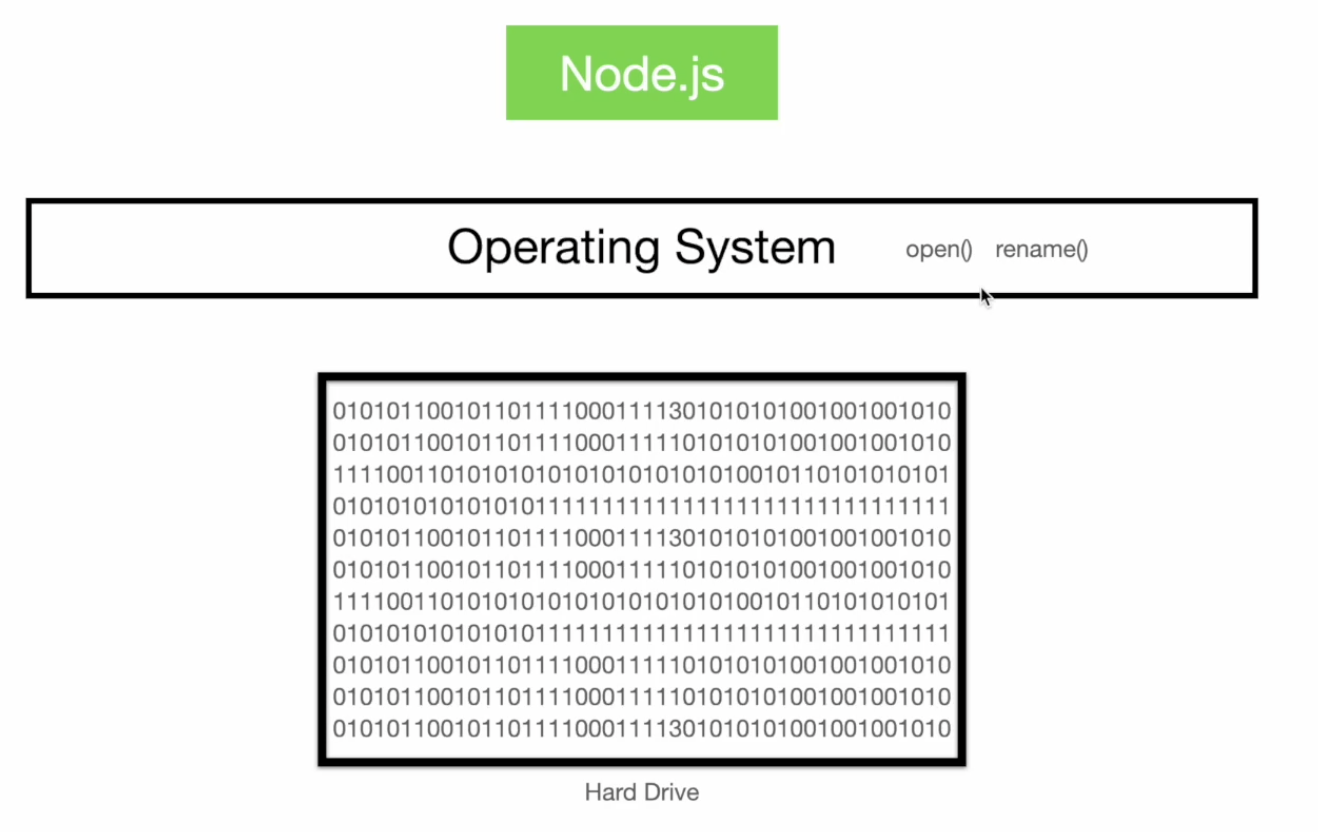
- Nodejs 通过 system calls(talking to the operating system) 来和 hard drive 交互
- Three different ways of doing the same thing
- Promises API --- 一般都用这个,写法相比 Callback API 更简洁,从 fs/promise 导入
- Callback API --- 极致性能要求时用
- callback API in the file system module is faster than the promises API, and use this callback version when performance is really critical to you and you want to have the maximum amount of it.
- 原因 ChatGPT - Promise vs Callback 性能差异
- Synchronous API — 一般不用,只有比如启动阶段必须要先读取加载配置这种一定要用同步场景才用
- Synchronous API 会block main thread(阻塞 event loop)
- watch file
- fsPromise.watch
- async generator and iterator
for await (const value of asyncIterator) { ... }- 只 typing 时,change 只发生在 memory (RAM),只有 save 时才会存储到 hard drive 并被 watch 到
watchbehavior is not 100% consistent across platforms 比如在不同平台/编辑软件上,一次编辑可能触发不同次数的 change event
- open file
- what really happens when you open a file is that you are you’re not actually moving the whole contents of that file to your memory. What happens is that you are just saving a number regarding that file. --- file descriptor
- FileHandle: a <FileHandle> object is an object wrapper for a numeric file descriptor. 使用 fsPromises.open() 时就会创建一个 FileHandle instance
- all <FileHandle> objects are <EventEmitter>s
- 需要 fileHandle.close()
Chapter 5 Streams
- a flow of data 把比较大的数据拆成更小的 chunk 来传输 比如当要写入很多数据到一个文件,或者写很多次,可以用 stream,一次写入一个 chunk
- Four types of streams: writable stream, readable stream, duplex stream, transform stream
- writable stream: 如果一次性写入 write 的数据超过了 stream 的 size,或者一直在写入,又没有清空的话,就会把剩余的内容 keep 在 memory 中 (backpressure)
- So what you need to do is to first wait for this internal buffer to get emptied and then do another wright now, this process that the stream does to empty this buffer is called draining.
- 如果 stream.write() 返回 false,说明写满了,必须要等 stream.on(‘drain’, ()⇒{}) 之后才能继续写入
- stream.end()
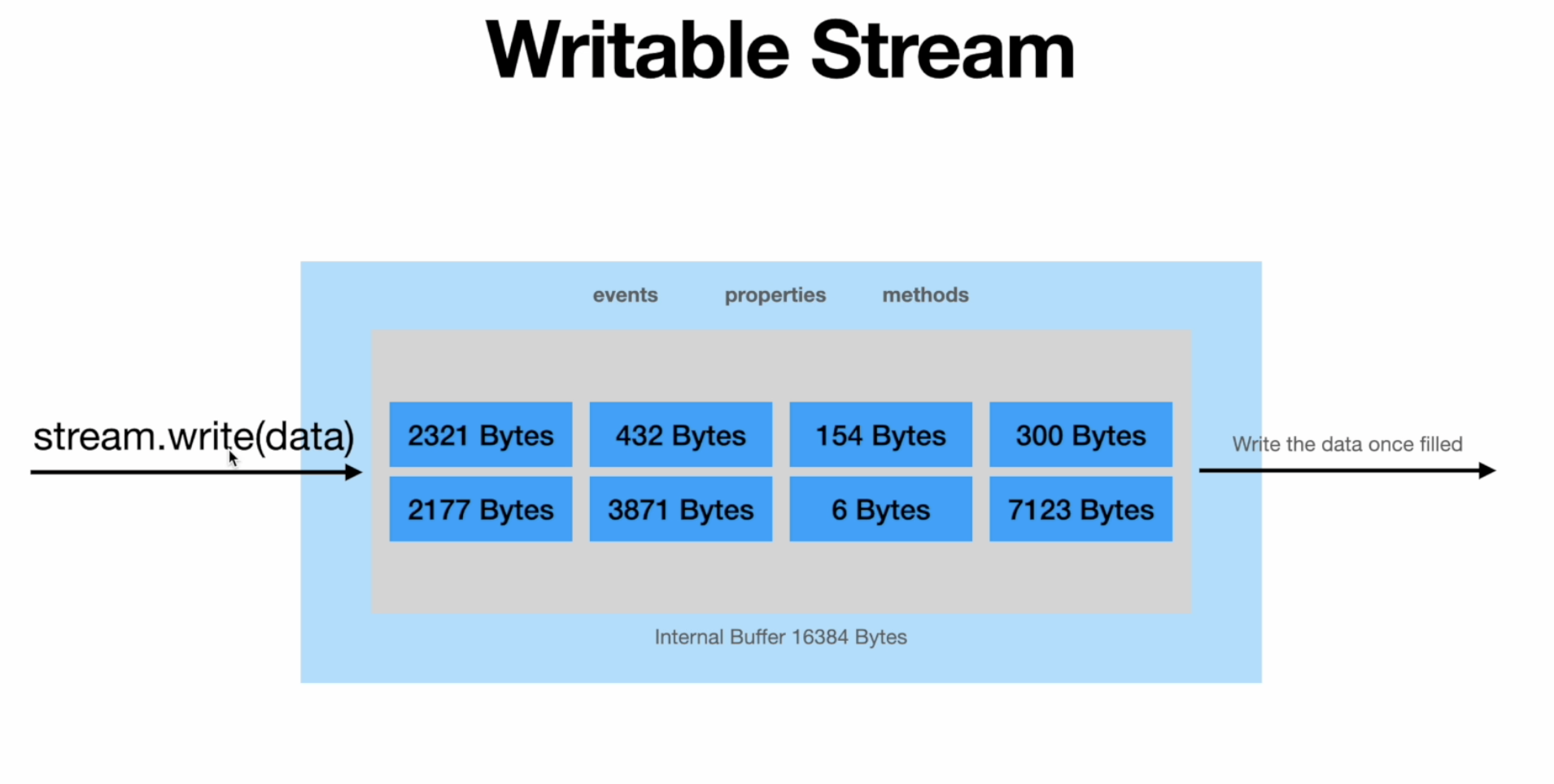
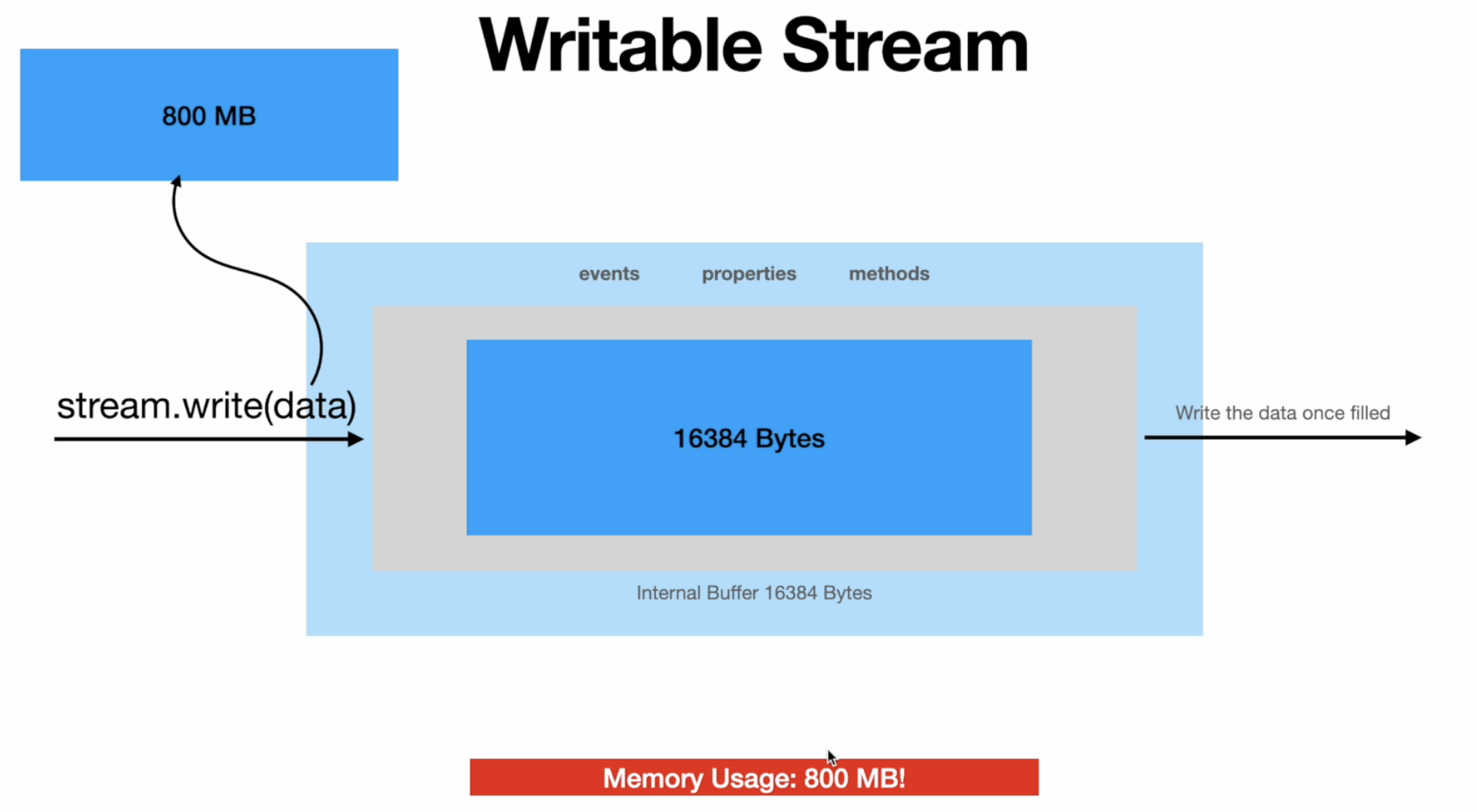
- readable streams: once the internal buffer is full we’re going to get an event called data.
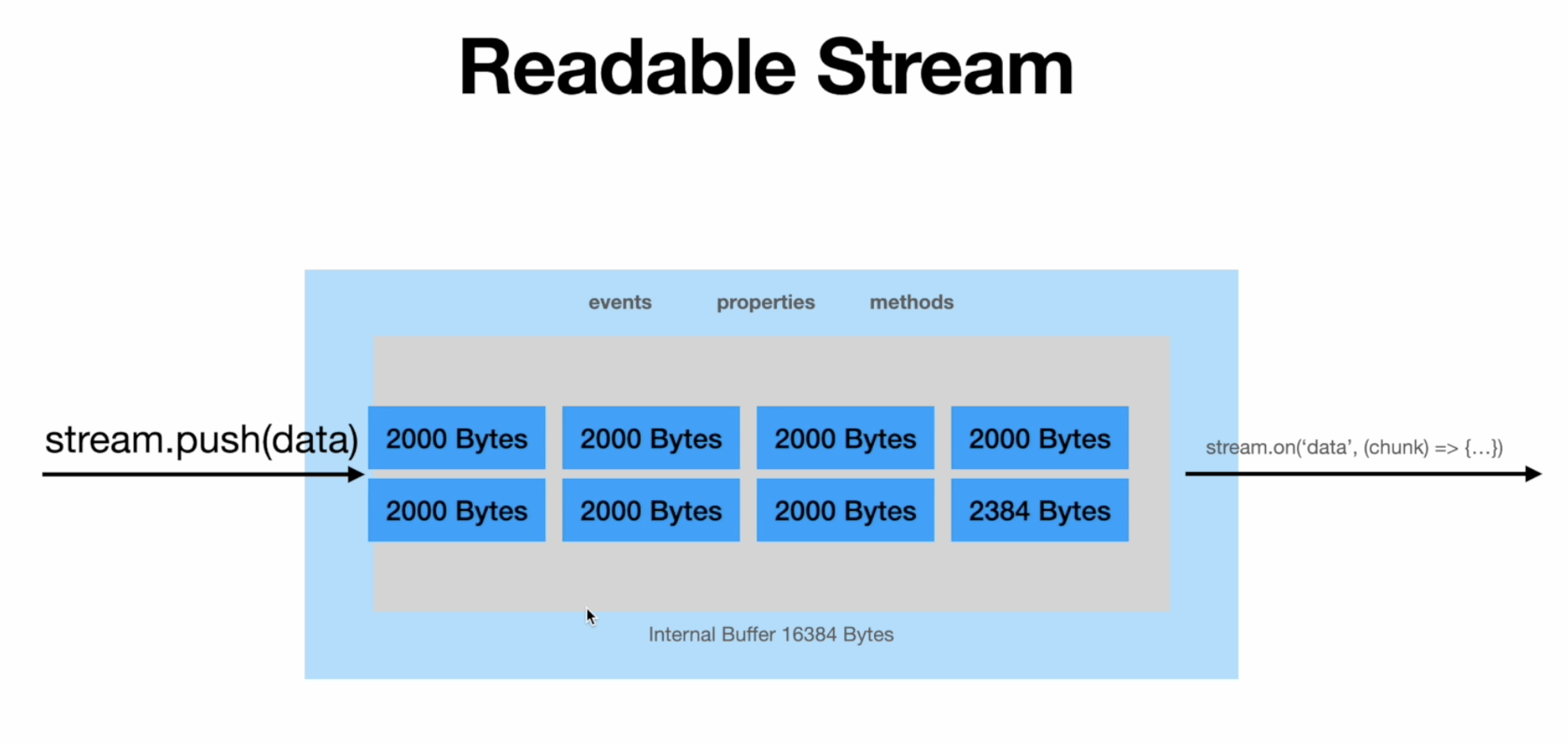
- 所以要写入大数据,可以先创建 readable stream,用 on(‘data’, chunk ⇒ {}) 将数据按 chunk 写入 writable stream
- stream.pause, stream.resume
- 命令行 cat xx 文件就是用的 stream,所以打开一个很大文件时不会崩溃
- duplex 和 transform 有两个 internal buffer, one for read, one for write