At a high level, a browser is a platform that does four core jobs:
- Provides a user interface (tabs, address bar, buttons)
- Fetches resources from the network
- Understands web languages (HTML, CSS, JavaScript)
- Converts those instructions into pixels on your screen
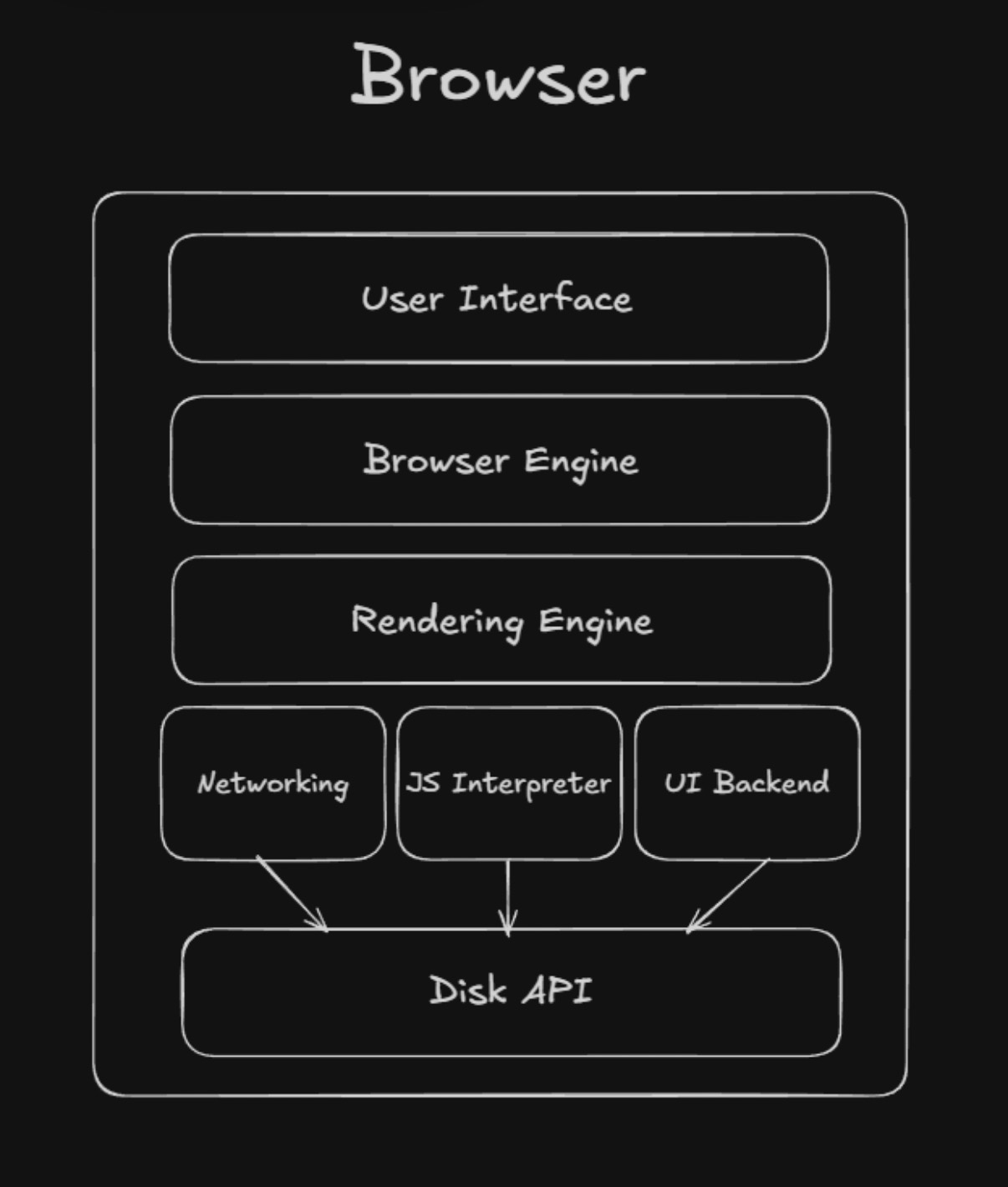
Browser engine:
Browsers engine is the brain of the browser. It manages:
- Navigation: Back & Forth, the reloads
- Communication: Managing the flow between the UI layer & disk storage.
- Session management: it keeps track of sessions (from start to end), state across different tabs.
Example: Trident(Internet Explorer, Edge), Blink(Chrome, Opera, Brave), Webkit(Apple’s Safari), Gecko(Firefox) etc.
Rendering engine
The rendering engine is responsible to make HTML content visible.
Rendering engine does the most heavy tasks like creating the DOM, CSSOM using parser, render tree, reflows, paint.
JS Interpreter
This is the main layer that is responnsible to interpret and parse the JavaScript codes. Some JS engines are V8(used by NodeJS), SpiderMonkey(used by Mozilla Foundation; Firefox), JavaScriptCore(used by Apple, Bun), Chakra(Used by Microsoft Edge) etc
UI backend
UI backend does the actual work of displaying the HTML content in the browser by lighting up the pixels and setting up the respective backends like what will happen after clicking on “About” button will be set up by thhis llayer.
Rendering engine creates layout (reflow) and then in the paint process creates instructions and give it to UI backend.
Disk API
- It is used to save data into Browser cache, cookies, local storage, session storage etc.
- It also writes data into your computer’s browser folder using some internal method